
Make wallpapers people keep
FauxWall Studio runs in your desktop browser. Drag clocks, gauges, and pictures onto a phone, watch it update with real-looking readings, then share it with every FauxWall user.
See how the Studio works
Studio opens with the public launch
Free to use. Sharing to Community is always free.
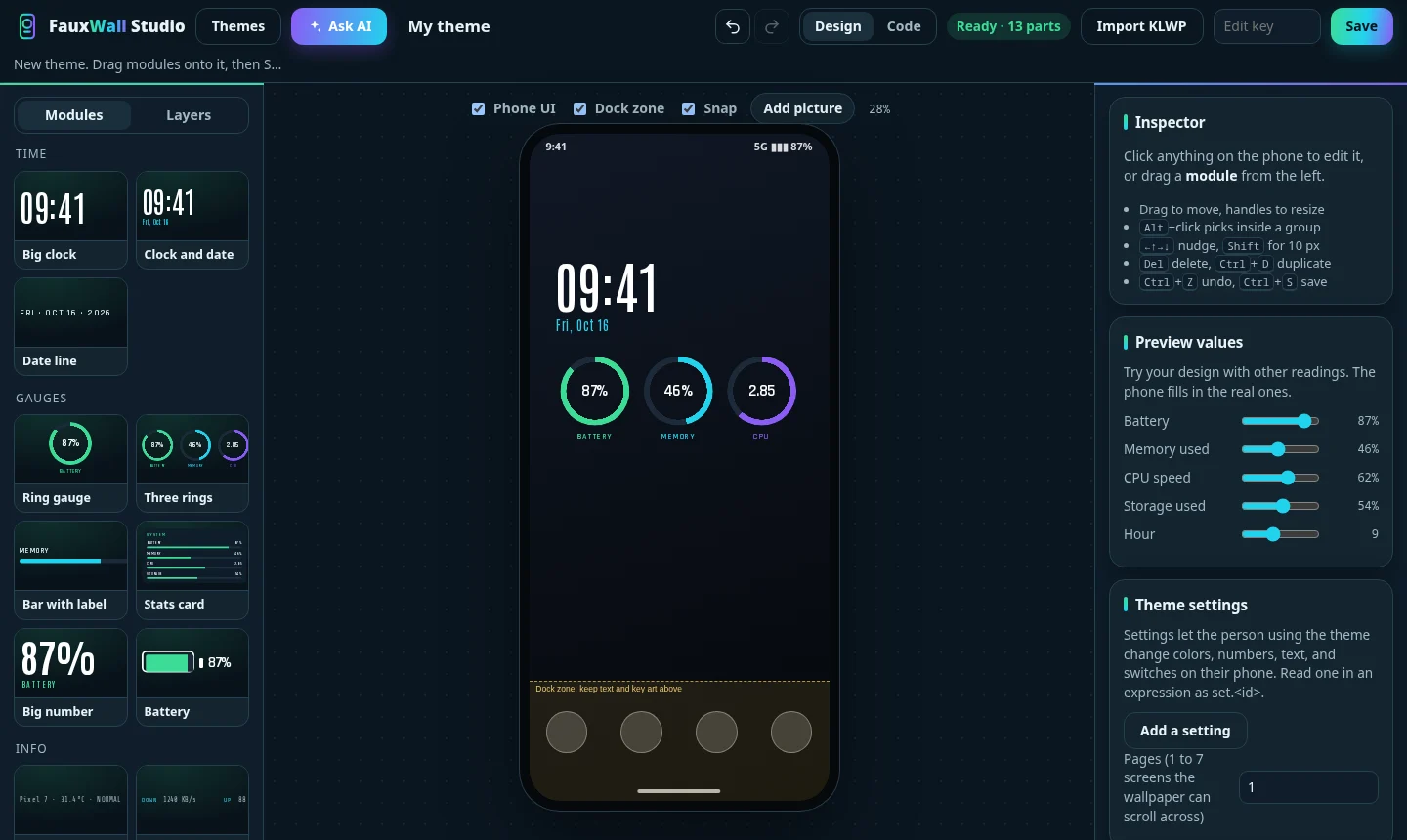
From idea to phone in three steps
No phone-sized editor, no formulas to learn.
- BuildStart from a blank phone, drop in ready-made modules, or describe a look and let Ask AI lay it out.
- Try it on your phoneSave it to My themes, then open the link in the FauxWall app. It stays private until you share it.
- Share itPick a creator name and click Share to Community. Your theme gets its own page and a share link.
What you get as a creator
Your own page
Every theme you share is listed under your creator name, and people can tap through to see everything you've made.
A link for every theme
Post it anywhere. On a phone with FauxWall, the link opens your theme on the viewer's own home screen.
Your work stays yours
You keep the rights to what you make. Update a shared theme any time, or take it down.
The rules, in plain words
- Share only what you made. Use art you created or have permission to use. Characters, logos, and art from games, shows, and brands belong to their owners.
- Community themes are always free. Nobody can put a price on them, and FauxWall earns nothing from them.
- Reports are reviewed. If people report a theme, FauxWall reviews it. A theme removed for copyright gives its creator a strike, and three strikes close sharing for that account.
- Keep it welcoming. No sexual, violent, or hateful themes, and no spam.